Why a Pull Request Title Can Become a Shell Command
Learn why untrusted pull request titles can become shell code in GitHub Actions, how to pass them safely, and where permissions still matter.
In this piece
Why it matters
A small metadata check can run with more authority than it needs. Keeping input as data protects an important execution boundary.
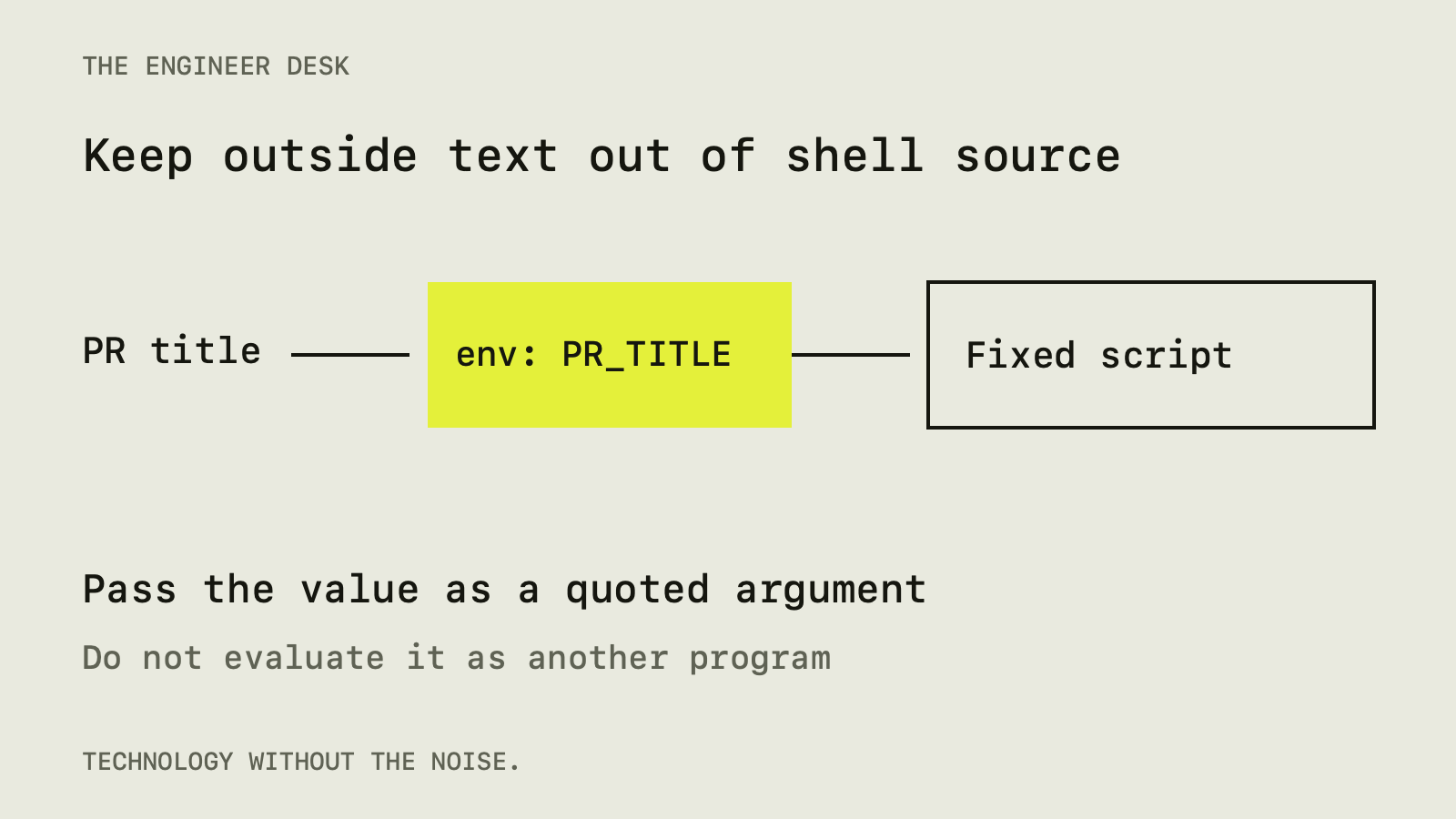
A pull request title can become executable shell code when a GitHub Actions workflow inserts it directly into a run: script. The fix is to keep the title as data, usually by passing it through an environment variable and quoting that variable when it is used.
This matters even when a workflow only prints a title or checks its wording. The person opening a pull request controls that text. A workflow should not give the text the same authority as the script written by the repository's maintainers.
Where the problem starts
GitHub Actions evaluates expressions such as ${{ github.event.pull_request.title }} before the resulting shell script runs. If an expression is placed inside the script, its value becomes part of the script's source.
GitHub's script-injection documentation identifies event information as potentially untrusted input. Titles are one example. Branch names and other fields can also carry attacker-controlled text.
Here is a deliberately vulnerable teaching example:
- name: Print pull request title
  run: |
    echo "${{ github.event.pull_request.title }}"
The quotes are in the wrong stage to solve the problem. They surround text that has already been inserted into shell source. A crafted value can affect how that source is parsed.
You do not need to memorize a particular attack string to review this pattern. Ask whether a value controlled by someone else is being pasted into executable code.
Pass data through the environment
For the same teaching example, move the expression into env::
- name: Print pull request title
  env:
    PR_TITLE: ${{ github.event.pull_request.title }}
  run: |
    printf '%s\n' "$PR_TITLE"
The shell now reads a fixed script. It expands a variable as an argument to printf; it does not parse the variable's contents as a new shell program. The fixed format string also avoids treating the title itself as formatting instructions.
This example assumes a shell with the syntax shown, such as Bash on a Linux runner. PowerShell has different variable syntax. Use the quoting rules for the shell that actually runs the step.
Environment variables are a transport mechanism, not universal sanitization. If a later command evaluates the value as code, the risk returns. Avoid constructs such as eval "$PR_TITLE". Also consider the receiving program: a quoted argument can still be interpreted as an option or a query by that program.
A title check should have a narrow job
Suppose the project requires pull request titles to begin with fix: or docs:. That check needs the title and permission to report a result. It does not need a production deployment credential.
Keep the policy simple enough to explain. Put the matching logic in a small script if the workflow becomes difficult to read. Feed the title to it as data, and test the policy against ordinary titles, empty input, and punctuation.
These are different questions: whether a title meets the project's rule, and whether the title can alter the checking program. A correct regular expression does not protect a workflow that constructs the surrounding shell script unsafely.
Permissions determine the possible damage
A workflow injection is more consequential when the job has write access or secrets. Review its token permissions, environment access, and runner configuration alongside the vulnerable step.
GitHub's secure-use reference covers least privilege, third-party actions, and untrusted input. Use it to check the complete workflow rather than assuming that one corrected line settles the review.
Set permissions deliberately at the workflow or job level. A job that only checks text should have a small permission set. Separate it from release work so that routine checks do not inherit authority merely because deployment appears later in the same file.
Self-hosted runners deserve extra attention. Ask what persists between jobs and what else the runner can reach. A restricted repository token does not remove access supplied by the machine itself.
Be especially careful with privileged triggers
Some workflows need to label or comment on pull requests from forks. That can lead maintainers toward pull_request_target, which runs in the base repository's context. It is not interchangeable with a normal test workflow.
GitHub's guidance for using this trigger securely explains the danger of combining privileged execution with untrusted pull request code. Checking out that code and running its build script can execute the contributor's commands with the job's access.
For a metadata task, work with metadata. If you need to test contributed code, design that job around the trust level of the code. Do not turn a failing permission check into a reason to move all work into a more privileged trigger.
Third-party actions need a separate review
An action is code that runs in your workflow. Check who maintains it, what inputs it accepts, and what permissions it needs. Pinning an action to a full commit identifier makes the selected version explicit; it does not establish that the code is trustworthy.
GitHub's current secure-use guidance also recommends workflow dependency lockfiles, which record transitive action dependencies as well as direct ones. Check whether that option fits your repository before relying only on direct pins.
Updates still need a process. A fixed version can contain a bug, and leaving it unchanged forever can miss security fixes. Review changes when updating the pin, preferably in a dedicated dependency change that is easy to inspect.
This is the same general boundary discussed in our coding-agent permissions guide: information supplied to a tool should not silently acquire permission to execute with your identity.
Review the data path, not just one expression
Search workflow files for expressions inside run: blocks. For each result, identify who controls the value. Follow it through scripts, generated files, and downstream commands. An apparently safe first step may write data into a file that is later sourced as shell code.
Then review how failures are reported. A security check that prints a warning but exits successfully may leave the risky workflow usable. Conversely, a check that rejects every title containing punctuation may make the project painful to use without fixing the execution boundary.
What to change first
Start with jobs that accept external input and hold meaningful permissions. Replace direct interpolation into shell source with data arguments or environment variables. Remove unnecessary access and separate metadata operations from code execution.
The principle is small enough to remember: write the program yourself, then pass outside values to it as data. That makes a title check easier to understand and gives a contributor's words the limited role they were meant to have.
Sources
- Script injections, GitHub (docs.github.com)
- Secure use reference, GitHub (docs.github.com)
- Securely using pull_request_target, GitHub (docs.github.com)
Spot an error? Tell us. See how we handle sources and corrections in our editorial standards.
Found this useful? Get The Weekly Desk, one concise email a week.