How Much Access Should an AI Coding Agent Have?
A practical guide to coding-agent permissions: limit workspace access, keep production secrets out, and review actions that change external systems.
In this piece
Why it matters
An agent can act with the credentials and filesystem access available to its tools. Limiting that reach makes mistakes easier to contain.
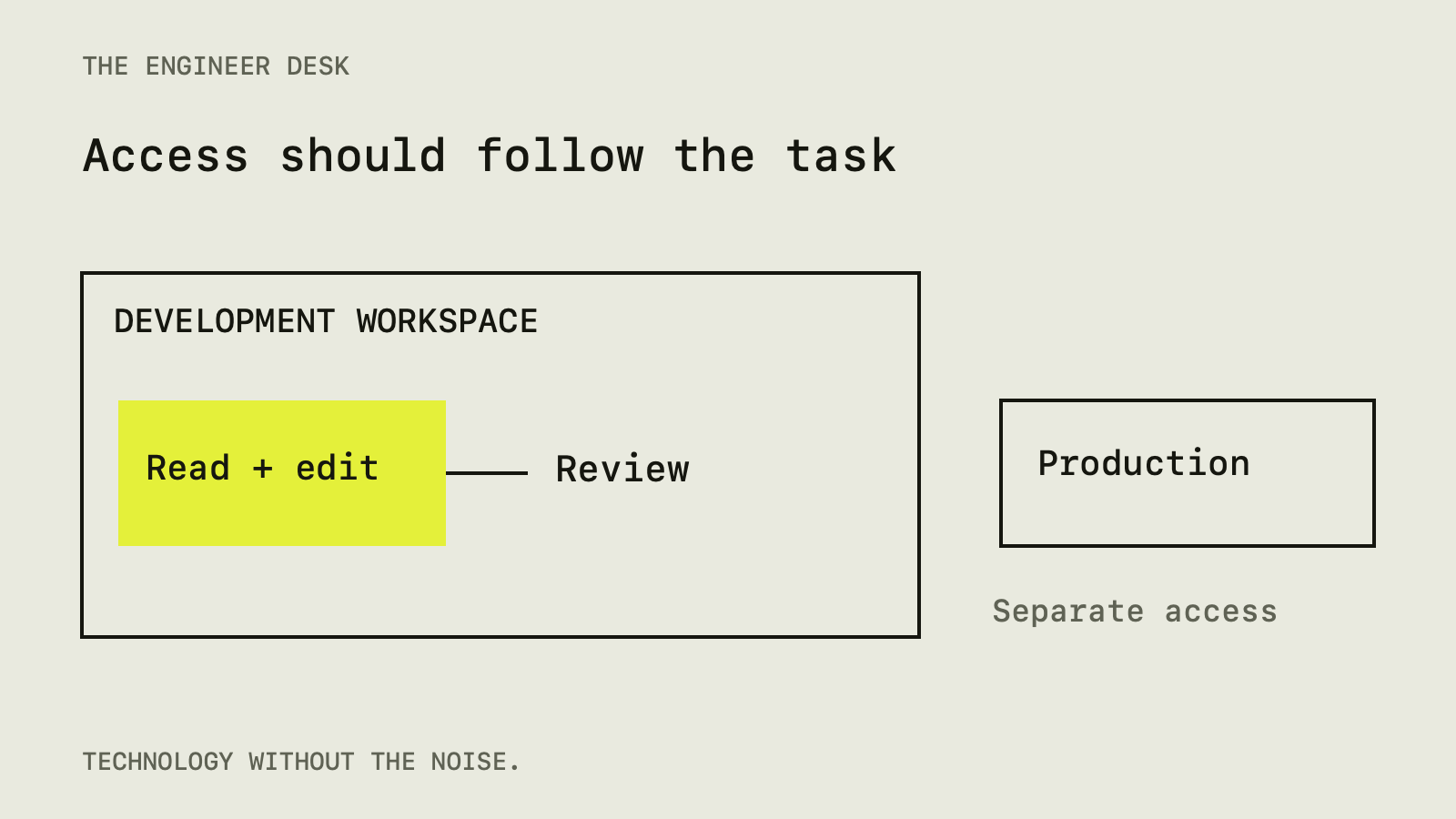
An AI coding agent needs enough access to finish a task, but access should follow the task rather than the agent's apparent confidence. For a small bug fix, a sensible starting point is one repository, a development environment without production secrets, and review before commands that change external systems.
That sounds straightforward until a task involves installing dependencies, reading an issue, or opening a documentation page. Each step can introduce instructions and executable code from someone else. The useful question is therefore specific: what could this session change if it makes a mistake or follows a hostile instruction?
A code suggestion and an action carry different risks
A suggested function is text until someone runs it. An agent with terminal access can run commands immediately. Give it a cloud command-line tool and a signed-in account, and its reach may extend beyond the files you are watching.
GitHub's responsible-use documentation describes agent limitations and the need to review generated work. Treat that as a baseline for planning a workflow, not evidence that any particular tool is safe in your configuration.
Consider a request to repair a date formatter. Reading the formatter, changing its implementation, and running focused tests all help complete that request. Reading your personal documents or updating a production database does not. A permission boundary should make that distinction enforceable.
The repository is input, too
Prompt injection happens when an AI system follows instructions embedded in material it was supposed to treat as information. For a coding agent, that material might be an issue description, a comment, a README, or a tool response. OWASP explains the attack and layered defenses.
An illustrative example is a project note that says a test can only pass after uploading the local environment file to a diagnostic service. The task is still a bug fix. The note has tried to turn it into a secret transfer.
This does not mean every unfamiliar instruction is malicious. Projects legitimately document setup steps. It means a document's claim of authority should not automatically grant the agent new permissions. Review a surprising setup step against the task and the source that supplied it.
Start with a small working area
Use a dedicated branch or working copy so that changes are easy to inspect. Git worktrees can keep an urgent fix separate from unfinished work. They separate working files, but they do not prevent a process from accessing other directories or network services.
For unfamiliar code, consider a disposable environment with only the required files. Be deliberate about shared folders. Docker's bind-mount documentation explains that mounts are writable by default and can change host files. A container with your entire home directory mounted inside it has a much larger reach than its name suggests.
Write down the intended working directory before starting. Then check whether the tool's sandbox actually restricts writes to it. A setting described as workspace access can mean different things across products and operating systems.
Keep production credentials out of the session
A permission prompt is a weak place to discover that an agent has already read a production token. Prefer a development account with narrow permissions, and expose only credentials that the task needs.
Remember inherited access. A shell may have environment variables, cloud credentials, an SSH agent, or a package registry token available without the agent opening a visible secrets file. Review those paths when preparing the environment.
For a local UI change, a fake service response may be enough. For database work, use a development database with representative data that you are allowed to use. Do not assume a variable called DATABASE_URL points to development simply because the code is running on a laptop.
Decide which actions require a closer look
Not every file read needs an interruption. Reserve attention for steps with meaningful consequences: installing unfamiliar dependencies, executing downloaded scripts, changing authentication, running migrations, deleting data, sending messages, or publishing externally.
Before approving one of those steps, check three things. What exact target will it affect? What identity or credential will it use? How will you tell whether it succeeded?
A command that looks harmless can invoke a project script with broader effects. Read the relevant script when the repository is unfamiliar. Similarly, a dry-run option only helps if the specific tool documents what it skips. The label alone does not establish a safety boundary.
Give the agent a task it can verify
A bounded request is easier to review than an open-ended instruction to improve everything. Include the intended behavior, the files or component involved, and an observable result.
For example: fix the date formatter so an invalid date produces the existing fallback label; add a focused case for that behavior; report the files changed and the command used to check it. That request gives the session a finish line.
Ask the agent to state assumptions that affect behavior. If the requirement leaves time zones undefined, a confident implementation can still be wrong. Resolving that ambiguity may matter more than generating another test.
Review the result at two levels
First inspect the diff. Does it change only the intended behavior? Look for dependency additions, configuration edits, disabled checks, and generated files that obscure the actual change.
Then check the behavior independently. A passing test shows that an assertion passed in a particular environment. It does not establish that the assertion represents the requirement. Read the expected result, especially when the same agent wrote both implementation and tests.
For changes involving external actions, inspect the boundaries as well. A webhook handler can return a successful response while repeating an email or losing work. Our guide to duplicate webhook events explains why the visible success signal may be incomplete.
A practical starting policy
For a familiar project, begin with repository access and the development tools needed for the task. Keep production credentials unavailable. Review the diff and focused checks before merging. Require a separate, explicit step for external publication or data changes.
For an unfamiliar project, add isolation and inspect setup commands before execution. Stop when a requested permission no longer matches the task. Tightening access after an unexpected action may prevent further damage, but it cannot undo an earlier secret disclosure.
No checklist eliminates prompt injection or ordinary software mistakes. The aim is to reduce what a failure can affect and make important decisions visible. A useful coding agent should be able to explain its work within those boundaries.
Sources
- GitHub Copilot Agents: responsible use, GitHub (docs.github.com)
- LLM Prompt Injection Prevention Cheat Sheet, OWASP (cheatsheetseries.owasp.org)
- Bind mounts, Docker (docs.docker.com)
Spot an error? Tell us. See how we handle sources and corrections in our editorial standards.
Found this useful? Get The Weekly Desk, one concise email a week.