Workbench guide
How to Edit Instagram Reels With Claude Code and Meta's Edits App
Connect Claude Code to the Edits app on Mac, check its tools, and try a small Reel. Includes setup, prompts, export checks, and clear testing limits.
In this piece
What changed
Instagram released Edits for macOS on November 5, 2026 with built-in MCP support for AI agents.
Why it matters
The built-in connection can turn an editing brief into tool calls, but readers need to verify supported actions and review the resulting video.
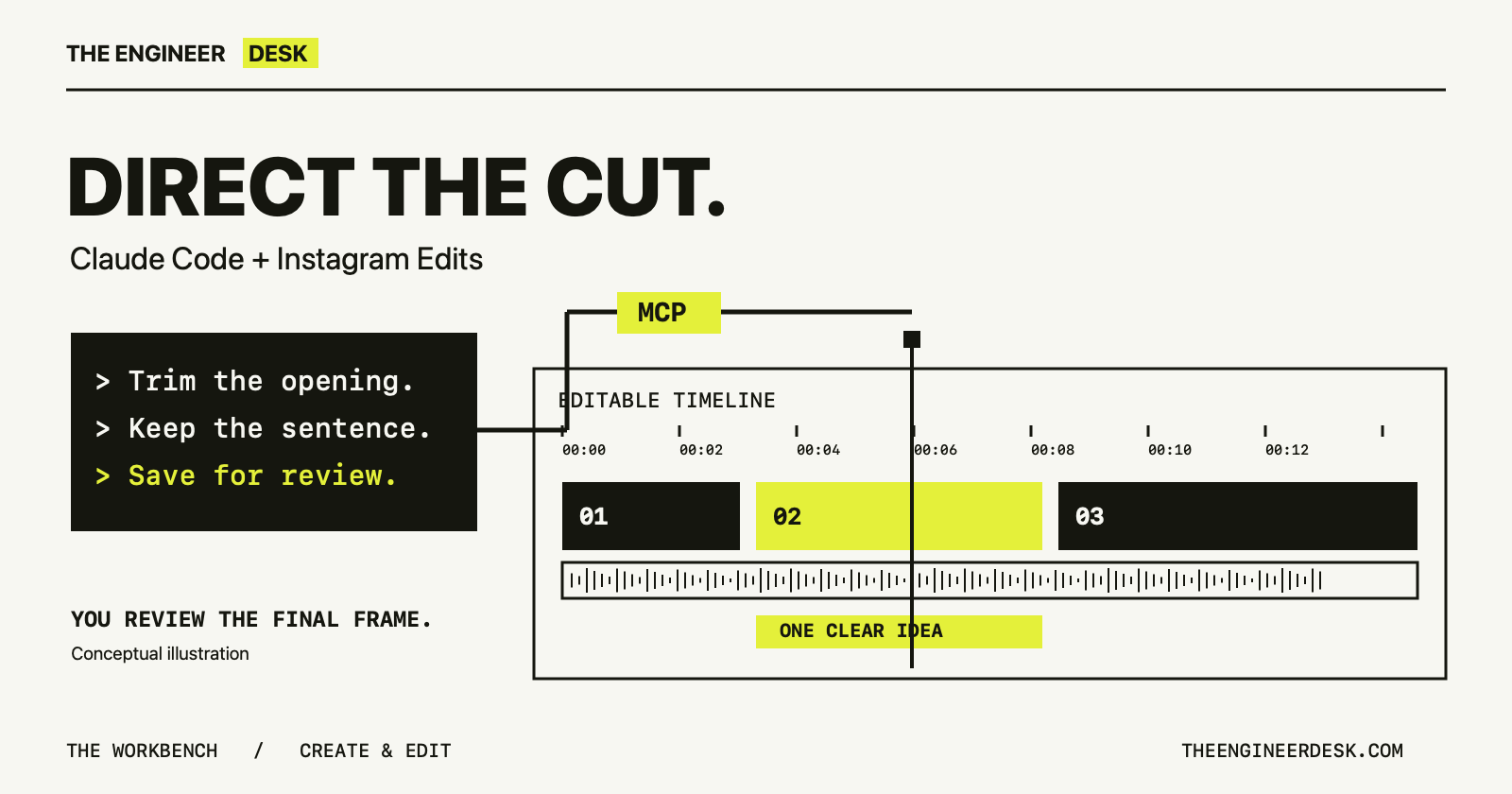
Instagram's Edits app can now work with AI agents on a Mac. That makes Claude Code a potential editing assistant: you describe the changes, and it calls the editor's tools through MCP.
The important detail is the connection. The MCP server is built into Edits. A community plugin is a separate, optional addition. Connecting an agent also does not prove it can finish every edit or export correctly.
What Meta announced
Instagram released Edits for macOS on November 5, 2026. Its launch announcement explicitly says AI agents can connect through MCP. This is an official app capability, rather than a workaround that operates Instagram in a browser.
Edits is a video editor for assembling footage, sound, text, and effects. You can use it for Reels or other video formats. It gives the agent an editing workspace you can inspect and finish yourself.
What you need
| Requirement | What to check |
|---|---|
| A compatible Mac | Instagram specifies Apple silicon, M1 or later. Intel Macs are excluded. |
| Edits for Mac | Free from the official download page. Sign in with an Instagram account. |
| Claude Code | Install the official client and use an account with Claude Code access or supported billed API access. |
| A small sample | Record a disposable clip of objects on a desk, with no people, accounts, or private screens. |
| A review folder | Keep the sample and output separate from your original media. |
The official desktop FAQ confirms macOS availability, the chip requirement, account sign-in, and free downloading. It does not specify a minimum macOS version in the page we retrieved. Check the current installer requirements before downloading. A third-party claim of macOS 15.1 is not independently verified here.
Claude Code has its own requirements and billing. Edits being free does not make Claude usage free. Check Anthropic's supported account types and your current plan before starting.
What MCP means here
MCP, short for Model Context Protocol, is a standard way for an AI application to discover and use another program's tools. Think of it as a shared connection format.
In this workflow, Claude Code is the client. Edits provides the server, a small service that exposes editing actions. The agent learns which actions exist and requests them. A connection token acts like a key to the service.
MCP does not create editing features by itself. A tool must be exposed by Edits, and the client must be able to reach and authenticate to it. See the protocol's architecture guide.

Connect Claude Code to Edits
The following sequence combines Anthropic's official client instructions with the Edits connection flow described in the community maintainer's setup reference. We have not verified those menu labels in an installed copy. Follow the current app if the labels differ.
Step 1: Install the official applications
Get Edits from Instagram's desktop page. Open the downloaded disk image, follow its installation instructions, launch Edits, and sign in. Do not use a download mirror or a Windows installer advertised by an unrelated site.
If Claude Code is missing, Anthropic documents this macOS installation command:
curl -fsSL https://claude.ai/install.sh | bash
This downloads and runs an installer. Review Anthropic's setup page first, including its Homebrew alternative if that is how you manage software. These are reader instructions; we did not run this installer.
Open a new terminal and check:
claude --version
Run claude and complete the sign-in flow if needed.
Step 2: Prepare one safe sample
Make an empty folder called edits-demo in Movies. Put a copy of a short, non-sensitive video inside it and name the copy sample.mov. Keep personal media elsewhere. Open Terminal and run:
cd ~/Movies/edits-demo
claude
Trust only the intended working folder when prompted. Folder choice helps keep the task organized; it does not replace the client's permissions or the editor's file restrictions.
Step 3: Enable Edits automation
The community setup reference places this at Settings > Automation > Enable Automation Server. It describes a local HTTP endpoint protected by a bearer token. A local endpoint runs on your Mac, rather than on a public website.
Use the Claude Code connection command provided by your installed Edits app. Inspect it locally, then run it in Terminal. Do not paste the token into an AI conversation, shared document, screenshot, or repository.
Do not substitute a port, token, or server name from an Instagram comment. The installed app is the authority for its current connection details. If it provides no connection instructions, stop here and verify the app version and official support material.
Anthropic's MCP reference documents HTTP connections and authentication headers. This guide intentionally does not supply a ready-to-run Edits command containing an unverified endpoint or somebody else's token.
Step 4: Check the connection before editing
Keep Edits open. Start a fresh Claude Code session in your sample folder and enter:
/mcp
Find the server you just added and check its connection state. Then use this prompt:
Inspect the connected Edits MCP server without changing any project.
List the available tools relevant to importing a sample, creating a project,
trimming, text, captions, transitions, audio, previewing, saving, and export.
Report which capabilities are missing or unclear. Do not guess tool names.
Do not read media, expose credentials, install helpers, or change settings.
A configured server is not sufficient evidence. Ask for a successful read-only inspection and check the returned tools. Record the app version and client version with your results.
Step 5: Request a small rough cut
For a first attempt, record 15 to 20 seconds of a notebook, a pen, and a mug. Make a second or two of silence at the start. If testing captions, say one harmless sentence while recording, such as “Start with one clear idea.” Use your own recording and audio.
The goal is modest: a short vertical edit, one title, and captions if the tools support them. Use this reusable prompt, replacing the sample path if necessary:
Use only ~/Movies/edits-demo/sample.mov. Do not scan other folders.
First inspect the connected Edits tools and the sample's properties.
Report whether you can import it and create a separate project safely.
If the editor requires additional file access or asset staging, explain
exactly what is needed and ask before copying outside this folder.

Create a new project named TED Edits Demo. Preserve the source file.
Aim for a 10-second 9:16 rough cut if the source can support that length.
Remove only the leading silence. Keep the spoken sentence intact.
Add the title "One clear idea" where it will not cover the subject.
Add automatic captions only if the discovered tools support them.
Use the original audio. Do not add library music, generated footage,
third-party assets, transitions, or effects for this first test.

Use supported preview tools to inspect the edit. Save if supported.
Report the actual duration, aspect ratio, every change, and any failed tool.
Do not claim a change succeeded without a successful result and a check.
Do not export, upload, publish, schedule, or overwrite an existing project.
Stop for my review.
This is an editing brief, not a promise that a particular tool exists. If the agent cannot import the sample, record the error and handle the import manually before trying again. Do not give it access to your entire media library to solve one missing-file error.
Step 6: Review the timeline, then export
Open the project in Edits. Watch the full cut with sound. Check that the sentence is complete, the title stays readable, the vertical crop keeps the subject in view, and captions match the recording.
Correct timing, spelling, audio balance, and framing manually or request one specific change at a time. A successful tool response does not prove the video looks right.
Once satisfied, use Edits' export controls yourself. If you later want the agent to export, first confirm its live tool list includes export and status inspection. Approve the destination, filename, aspect ratio, resolution, and other required settings. Afterward, open the actual output and play it from beginning to end. A claimed destination path is not proof that a usable file was written.
Supported features and limitations
The distinction below matters: a feature available in the app is not automatically a tested agent action.
| Area | What the evidence supports | What to check yourself |
|---|---|---|
| Timeline | The official pages describe multiple tracks and precise clip editing. | Which project and clip actions the connected tools expose. |
| Transitions | Instagram documents keyframes for transitions. | Available presets and controls in the installed build. |
| Captions | The announcement describes unlimited automatic captions in multiple languages. | Tool access, transcription quality, timing, and language support for your footage. |
| Audio and effects | Instagram describes audio libraries and sound and video effects. | Tool coverage, levels, availability, and permitted use of each asset. |
| Color and branding | Official features include color controls and imported LUTs and fonts. A LUT is a file that applies a color look. | Whether the agent can use the needed controls and access the files. |
| Export | The official FAQ advertises 4K files without a watermark. | Whether your client can complete and verify an export with the installed tools. |
| Devices | Desktop requires an Apple silicon Mac. | Current installer requirements. No verified Windows or Linux desktop release date. |
| Project handoff | Instagram says seamless editing of one project across phone and desktop is in development. | Do not assume a mobile project will open on the Mac. |
Sources: Instagram desktop FAQ and launch announcement.
The unofficial tool catalog describes project, clip, text, audio, caption, and export operations. It is useful technical evidence from a community author, not a Meta support guarantee or a test by this publication. Discover the tools again after app updates rather than relying on a fixed tool count.
Do you need an MCP server or a plugin?
You need the server built into Edits to be enabled. You do not need to install a separate community server for the direct connection described here.
A community skill is a set of instructions or helper code layered on top. It may teach an agent editing techniques, but it also introduces code and assumptions to review. We inspected public documentation; we did not install a skill or run its helpers. Start with the app's own connection and add extras only for a specific need.
This is also separate from Instagram account automation. An Edits connection should not be treated as permission to read DMs, manage followers, or schedule posts.
Does it work with Codex and other clients?
OpenAI's official MCP documentation confirms that Codex supports HTTP MCP connections and bearer-token configuration. That establishes the connection mechanism, not a completed Edits compatibility test. Current third-party setup guides report a Codex option in Edits; verify it in your installed app and use its instructions.
Other clients need compatible transport, authentication, tool support, and access to the Mac running Edits. A cloud-only session cannot normally reach your Mac's loopback address. Do not expose the server to the public internet just to make a chat website connect. “Supports MCP” alone is not enough to promise every assistant will work.
Common setup problems
| Problem | What to check |
|---|---|
claude is not found |
Reopen Terminal and follow Anthropic's installation and PATH instructions. |
| Server is listed but disconnected | Confirm Edits is running, automation is enabled, and the app's current connection details match the client. |
| Authentication fails | Recopy the setup locally from Edits. A stale or incomplete token can fail. Never post it in a support thread. |
| No editing tools appear | Start a new client session and inspect /mcp. Check client restrictions and app version before adding plugins. |
| Sample cannot be imported | Confirm the exact path and app file permissions. Use a manual import if needed. Do not invent a sandbox workaround. |
| The agent cannot apply an effect | Check the live tool list. Use the editor's interface for unsupported controls. |
| Export never finishes | Inspect the tool's error and required arguments. Check the destination and actual output; use manual export if unresolved. |
These are diagnostic checks, not failures we reproduced. If a step still fails, record versions, the action, and a redacted error message. Avoid copying entire logs that might contain tokens or file contents.
Privacy and security
A local connection is not the same as fully local AI processing. Information returned to the agent, potentially including transcripts, filenames, frames, or other media-derived content, may enter the model conversation. The exact data depends on the tools called and client behavior. We did not perform a network audit.
Anthropic's data usage documentation distinguishes consumer training choices from commercial policies. Review your account settings before using confidential footage. Review Meta's current in-app terms and privacy notices separately; no offline-only or no-upload guarantee is established here.
Keep the connection token private, inspect what the setup command stores, and remember a pasted command can remain in terminal history or recordings. Use the app's token-reset control if available when a token is exposed, then update the client. Disable automation when finished. Leave permission checks enabled and approve only the files and actions needed for the sample.
For a first test, use original audio. A track appearing in a library does not establish permission for every destination or commercial use. Check the track's applicable terms before reusing an export elsewhere.
Is this workflow worth using?
It is worth a small trial if you already use Claude Code, have a compatible Mac, and often repeat the same editing brief. The potential benefit is turning precise instructions into a draft timeline that remains editable.
For a one-off clip, connecting and troubleshooting an agent may take longer than making a few cuts yourself. Keep a person responsible for the story, captions, music rights, and final file. Until a sample succeeds on your own setup, treat this as a promising connection to evaluate rather than a replacement for editing judgment.
Frequently asked questions
Can Claude Code edit Instagram Reels?
It can request actions from Edits through MCP when connected and authorized. The actual operations depend on the tools exposed by the installed app. We have not completed an authenticated editing test.
Is Edits free?
Instagram says the Mac app is free to download. Claude Code access and usage are separate. Check your account's current billing and limits.
Does this work on Windows?
The official Edits desktop FAQ currently lists macOS only, on Apple silicon. Claude Code running on Windows does not remove that requirement.
Can Claude export a finished video?
The community tool reference includes export operations, while Instagram confirms app-level 4K export. End-to-end automated export remains untested here. Verify the live tool, completion status, and playable output, or export manually.
What still needs manual editing?
You must review the result. Fix unsupported effects, bad crops, awkward cuts, caption errors, and sound problems in the editor as needed. Keep publishing as a separate, deliberate action.
Tools and official references
- Edits for Mac Official download and hardware FAQ. Free download; Instagram account required. edits.instagram.com
- Claude Code setup Official installation instructions. Access and usage depend on your account. code.claude.com
- Claude Code MCP reference Official client connection and authentication documentation. code.claude.com
- Instagram's launch announcement Release date and app capabilities.
- MCP architecture How clients, servers, and tools fit together.
- Codex MCP documentation Official connection support; not an Edits test report.
- Claude Code authentication Account and sign-in options.
- Claude Code data usage Privacy and data-policy details.
- Community Edits tool catalog Unofficial technical reference, used only with that qualification.
Sources
- Edits on desktop is here, Instagram (edits.instagram.com)
- Edits for desktop and FAQ, Instagram (edits.instagram.com)
- Connect Claude Code to tools via MCP, Anthropic (code.claude.com)
- Advanced setup, Anthropic (code.claude.com)
- Authentication, Anthropic (code.claude.com)
- Data usage, Anthropic (code.claude.com)
- MCP architecture, Model Context Protocol (modelcontextprotocol.io)
- Codex MCP documentation, OpenAI (developers.openai.com)
- Community Edits setup reference, iamjeeth on GitHub (github.com)
- Community tool catalog, iamjeeth on GitHub (github.com)
Spot an error? Tell us. See how we handle sources and corrections in our editorial standards.
Found this useful? Get The Weekly Desk, one concise email a week.